기능
일정과 기록이 리포트와 발표로 이어집니다.
프로젝트의 일정·담당자·진행 기록을 함께 관리하고, 리포트 Present로 팀과 검토하세요. 계획부터 회의까지 같은 작업을 바탕으로 이어갑니다.
편집 권한이 있으면 모바일에서 상태·진행률·담당자·댓글을 업데이트할 수 있습니다. 일정과 의존성 편집은 데스크톱을 이용하세요.
하나의 작업 흐름
계획부터 공유까지.
작업 연결
네 가지 의존성 유형과 시간 간격으로 작업 관계를 표현하고 프로젝트 완료일을 결정하는 작업을 확인하세요.
일정 조정
타임라인에서 작업과 후속 일정을 조정하고, 브라우저에서 팀과 계획을 검토하세요.
진행 상황 공유
브라우저에서 실시간으로 돌아가는 진짜 의존성과 크리티컬 패스, 템플릿과 공유 링크 — 그리고 모바일 상태·진행률·담당자·댓글 업데이트까지.
01
계획 & 일정
템플릿, 의존성, 크리티컬 패스 — 그리고 작업 하나로 부족할 때 디테일을 담는 에디터까지.
프로젝트 템플릿
단계·상태·팀 범례·근무일을 갖춘 재사용 가능한 시작점을 만들고, 한 번에 새 프로젝트를 찍어내세요. 생성 시점 스냅샷이라 템플릿을 수정해도 이미 만든 프로젝트는 영향받지 않습니다. 기본 제공 스타터 포함.
의존성
막대를 다른 막대로 드래그해 연결. FS / SS / FF / SF + 양·음 lag 지원. 역방향 연결은 빨간색으로 표시.
자동 일정 조정
한 번의 클릭으로 의존성을 따라 날짜를 연쇄 조정. 상위 범위·작업 캘린더 존중. 충돌은 인라인 표시.
크리티컬 패스
프로젝트의 마지막 작업으로 끝나는 가장 긴 의존성 체인을 강조. 여유 시간의 위치를 한눈에.
AI 플랜 초안
짧은 프로젝트 설명에서 단계·작업·의존성 초안을 만들고, 검토한 뒤 계획에 추가하세요. 제공 여부와 사용량은 워크스페이스 설정 및 요금제에 따라 달라지며 비회원 데모에서는 사용할 수 없습니다.
리치텍스트 설명
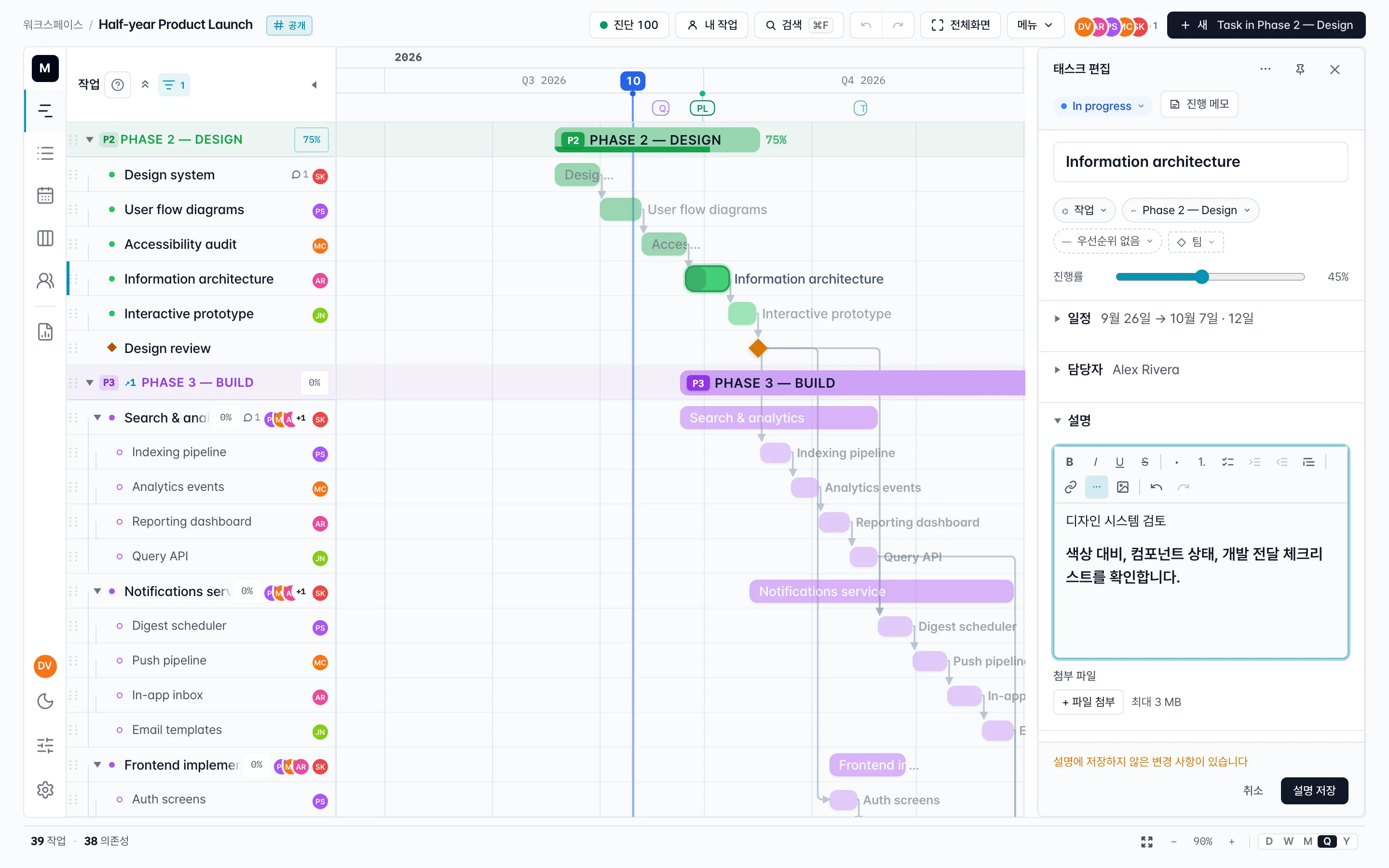
굵게·기울임·제목·목록·코드·링크·인라인 이미지. 기본 잠금 + Edit → Save 명시적 저장 흐름.
차트 폭으로 펼쳐지는 진행 노트
작업별 기록을 차트 너비로 작성하고 공개·비공개를 선택하세요. 서식, 이미지와 YouTube 카드를 지원하며 영상을 재생할 때 플레이어를 불러옵니다.
02
리포트와 발표
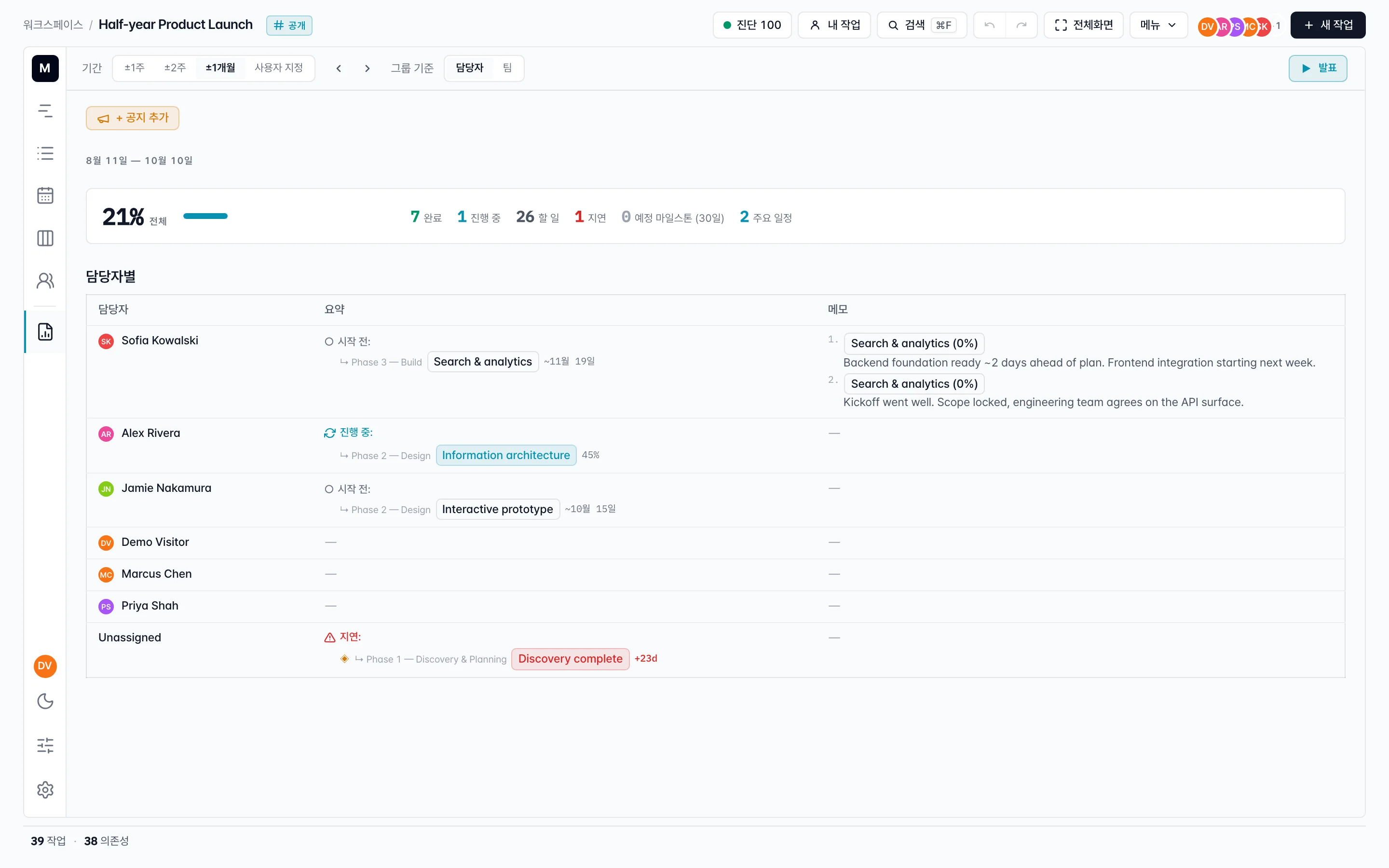
진행 기록을 리포트에서 모아 보고, Present로 사람별·팀별 현황을 발표하세요.
일반 프로젝트 샘플로 촬영한 실제 제품 시연입니다.
타임라인에서 작업을 하나씩 검토하려면 별도의 Walkthrough를 이용하세요.
리포트 Present
리포트에서 기간을 선택하고 발표를 시작하세요. 구성원별 완료·진행·예정 작업과 진행 기록을 발표 화면에서 함께 확인합니다.
기록과 결과 이미지
공유된 진행 노트를 읽고 이미지를 확대하며 작업의 결과와 맥락을 설명하세요.
사람별·팀별 검토
발표 순서를 정하고 진행률·마감·주의할 작업을 함께 확인하세요.
03
보기
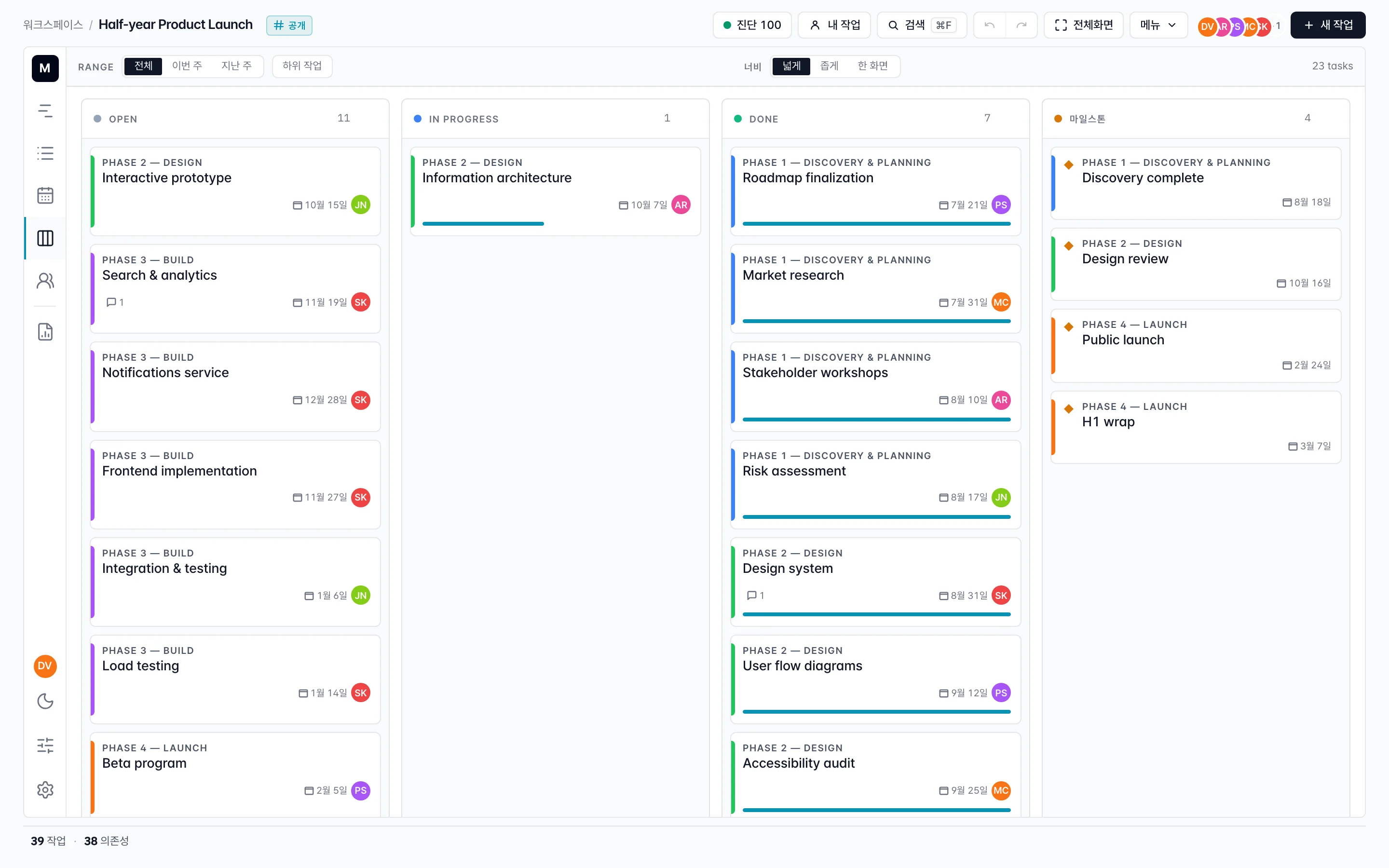
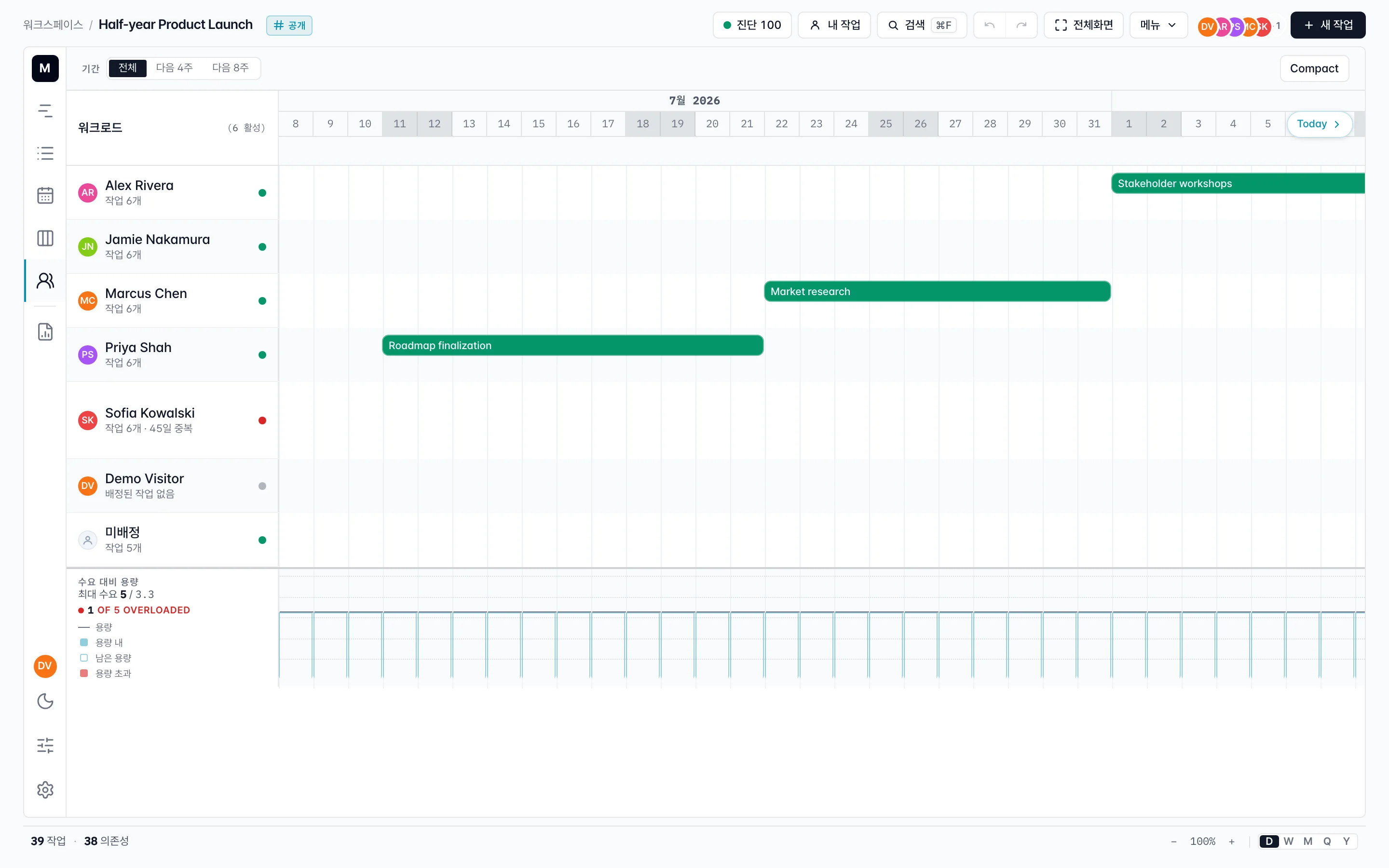
동일한 프로젝트, 다섯 가지 방식.
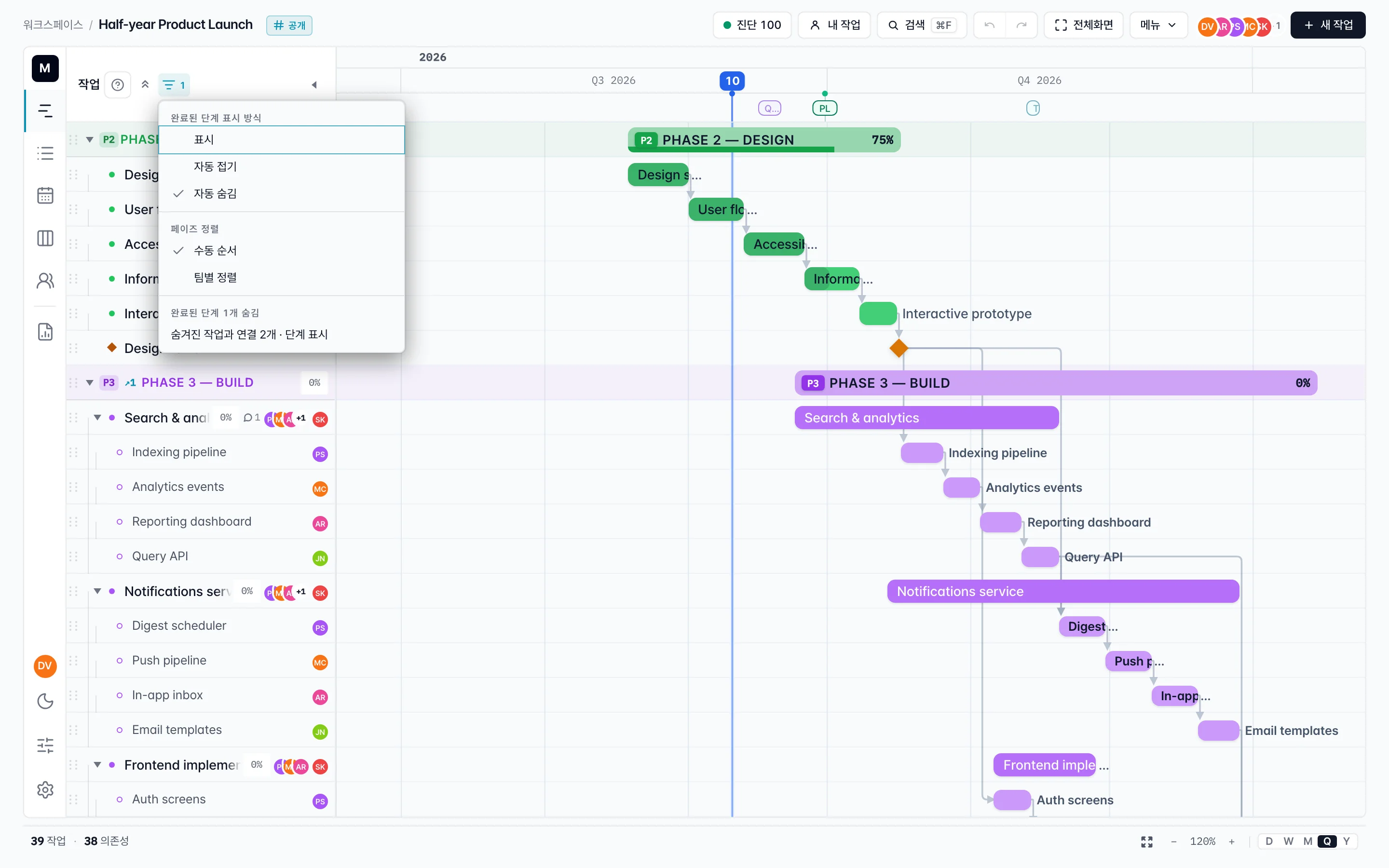
간트
일/주/월/분기/년 확대 수준, 주말 강조, 오늘 표시, 고정 타임라인 헤더.
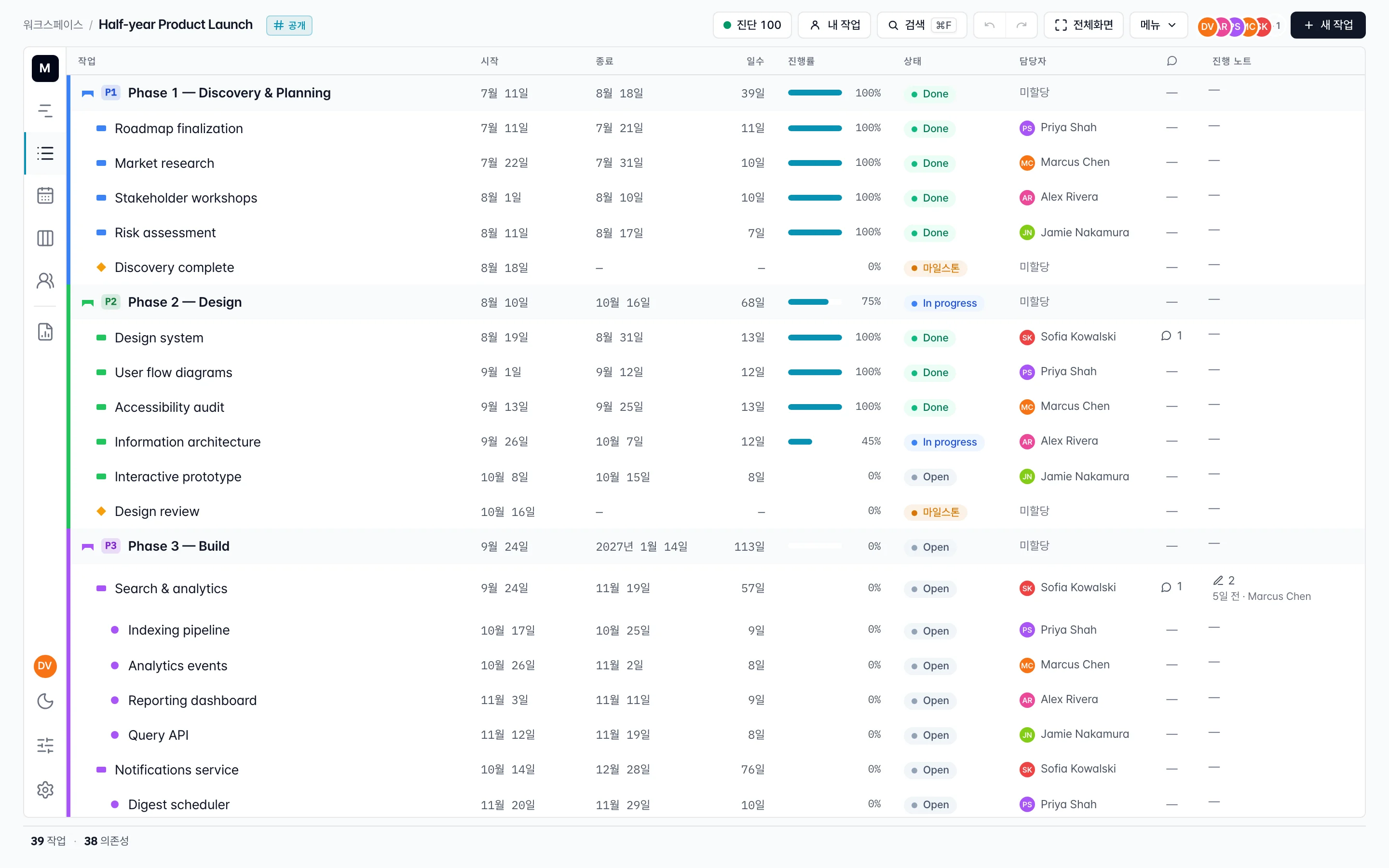
목록
코멘트 수·상태·일괄 편집이 가능한 정렬 표. 시작일·종료일·진행률·담당자 정렬.
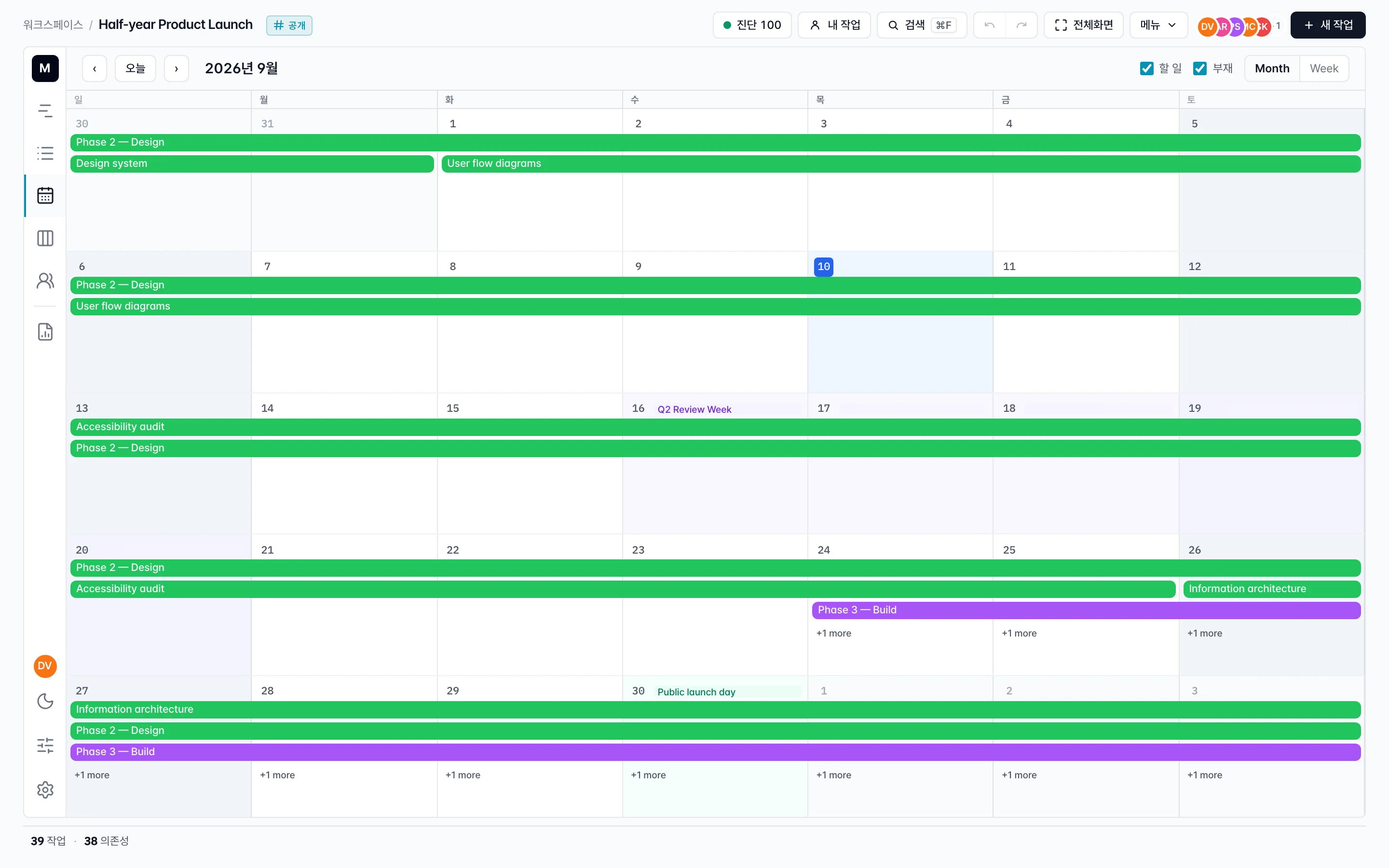
캘린더
월·주 보기와 가장자리 드래그 크기 조정. 캘린더가 시간을 표현하는 방식 그대로.
칸반
흐름 중심 팀을 위한 상태 컬럼. 카드를 드래그해 진행률을 업데이트, 날짜 범위는 유지.
작업량
사람을 행으로, 배정된 작업을 공유 타임라인의 막대로. 다음 주에 누가 과부하인지 한눈에 파악.
포트폴리오 타임라인
워크스페이스의 모든 프로젝트를 한 타임라인에 — 행마다 소유자, 멤버, 상태, 마일스톤, 키 데이트. 관계·기간·진행률로 필터링하고 프로젝트별로 키 데이트 표시를 토글해 화면을 정리할 수 있습니다.
04
협업과 공유
코멘트, 공개 공유 링크, Slack DM, CSV 왕복까지. 차트가 깔끔하게 앱 밖으로 나가므로 이해관계자는 로그인이 필요 없습니다.
워크스페이스 & 멤버
이메일로 팀원 초대. 자동 색상 아바타, 프로젝트별 참여율, 역할 기반 편집 권한.
코멘트 & 첨부파일
@멘션과 파일 첨부가 가능한 인라인 코멘트. 알림은 담당자·이해관계자·태그된 사용자에게 전달.
공개 링크 + 임베드
읽기 전용 공개 URL 활성화. iframe을 Notion / Confluence / README에 붙여넣으면 동기화 유지. 언제든 취소 가능.
가져오기 / 내보내기
CSV 가져오기 (Notion CSV 자동 인식), CSV·PDF·PNG 내보내기. 날짜·상위·의존성을 왕복 보존.
Slack 알림, 옵트인
워크스페이스 오너가 Slack을 한 번 연결하고, 멤버는 각자 자기 계정을 바인딩합니다. @-멘션이나 배정 시 DM만 — 채널 스팸은 없습니다. 봇이 있는 채널에 MadiPlan 링크를 붙여 넣으면 프로젝트 이름·집계가 자동으로 펼쳐집니다.
샘플 프로젝트를 열고 직접 일정을 움직여 보세요.
데모에는 단계·의존성·마일스톤·코멘트·여러 보기가 이미 들어 있어, 더 긴 설명을 읽지 않고도 제품의 느낌을 바로 확인할 수 있습니다.
모바일에서 편집자는 상태·진행률·담당자를 변경하고 댓글을 작성할 수 있습니다. 뷰어는 계획을 확인할 수 있습니다. 날짜·의존성·전체 차트 편집은 데스크톱에서 진행하세요. 프로젝트 URL을 복사해 이어서 작업할 수 있습니다.